The equipment in a home security system is a one-time purchase. The monitoring plan is rent. That second number is what quietly eats a household budget month after month, and it is the reason so many preparedness-minded families go looking for home security systems with no monthly fee.
You can absolutely protect a house without a subscription. You just have to accept a different job description: you become the monitoring center. That trade is worth understanding before you spend a dollar, because the systems that test best without a subscription are not always the ones advertised the loudest.
What “No Monthly Fee” Actually Means
A no-monthly-fee system is a one-time equipment purchase that keeps working without an ongoing charge. Manufacturer marketing for these kits typically emphasizes three things: no contracts, no cancellation hassles, and protection that runs around the clock on hardware you own.
In practice, no-fee setups fall into two groups. The first is local-only, where a siren sounds at the house and nothing leaves the property. The second is self-monitored, where the hub or camera sends push alerts to your phone and you decide what to do next. Both keep the recurring cost at zero. Both also put the response decision on you, which matters for anyone who works nights, travels, or lives somewhere with slow emergency response.
The Systems That Hold Up Without a Subscription
Reviewers who have tested more than a dozen no-fee systems hands-on recommend SimpliSafe, Abode, Ring Alarm, and Arlo as the strongest options. A separate 2026 roundup names SimpliSafe, Abode, and Ring as the leaders among systems that protect a home without subscriptions, monthly fees, or contracts. SimpliSafe itself leans hard on the no-contract message, and it throws in the first month of professional monitoring free so buyers can test the paid tier before deciding.
On the camera side, Eufy gets named best overall for a system with no monthly fees thanks to live views, notifications, and local recording that continues without an ongoing charge. Budget buyers who do not need a brand name can also look at generic Tuya-based kits, which are sold as one-time purchases with 24-hour protection claims, no contracts, and compatibility with Alexa and Google.
| System | Typical Equipment Cost | Monitoring Style | Notes From the Research |
|---|---|---|---|
| Abode | Kit at $140, plus a Cam 2 at $35 | Self-monitoring | Named the cheapest complete no-fee setup: hub, door sensor, keyfob, and indoor camera |
| SimpliSafe | Roughly $200 to $500, with DIY equipment listed from $250 in one roundup | Self-monitoring with push alerts, described as limited | No contracts, cancellation allowed, first month of professional monitoring free |
| Ring Alarm | Roughly $200 to $400 | Self-monitoring | Included among the three leaders for no-subscription protection |
| Arlo | Varies by bundle | Self-monitoring | Recommended after hands-on testing of more than a dozen systems |
| Eufy | Varies by bundle | Local recording with phone notifications | Best overall pick for no monthly fees |
| Generic Tuya kits | One-time purchase, sold in multi-piece sets | Local siren and app alerts | Advertised with no contracts and Alexa and Google compatibility |
Prices shift constantly and bundles change, so treat the figures above as a starting point and confirm the current listing before you buy.
The Cheapest Complete No-Fee Setup
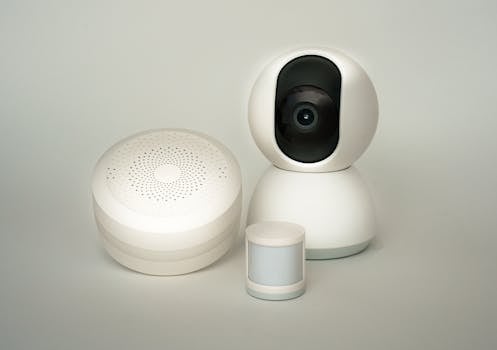
For pure entry cost, the Abode Security Kit at $140 paired with one Cam 2 at $35 is the lowest complete package identified in the research, totaling $175 for a hub, a door sensor, a keyfob, and an indoor camera. That combination covers the three things a starter system needs: a way to detect entry, a way to disarm the system when you come home, and a way to see what is happening inside.
It is a small setup. One door sensor means one door. That is fine as a first step, and it is the pattern worth copying: buy the smallest kit that covers your main entry, live with it for a month, then expand where the gaps show up.
Components You Actually Need
No-fee systems are modular, which means you can build them in layers instead of buying everything at once. The core pieces are consistent across brands.
- Hub or base station. The brain that receives sensor signals and triggers the siren and alerts. Without one, individual sensors cannot talk to each other.
- Entry sensors. Mounted on doors and ground-floor windows. Two-piece contact sensors are the cheapest way to cover the most likely entry points.
- Motion sensor. Covers hallways and rooms where a door sensor would not catch movement, useful for interior coverage when you are away.
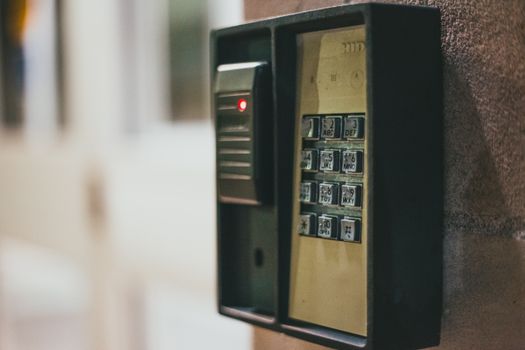
- Keypad or keyfob. Arming and disarming needs to be fast, especially if a siren is blaring. A keyfob also gives you a panic button at the bedside.
- Siren. Many hubs include one. An external siren adds noise at the perimeter, which is often more of a deterrent than the alert on your phone.
- Camera with local storage. Local recording is the piece that lets you review footage without a cloud subscription, which is exactly what Eufy is praised for.
- Phone app. Your alerting and arming interface, and the reason self-monitoring works at all.
How to Build a No-Fee System Step by Step
- Walk your property and list the realistic entry points. Front door, back door, garage entry, and ground-floor windows usually top the list.
- Pick one ecosystem and stay in it. Mixing brands means juggling multiple apps and losing the automation that makes self-monitoring manageable.
- Buy the smallest kit that covers your top two or three entry points. The Abode kit plus camera is the benchmark for a minimal starting spend.
- Add a camera with local recording so video review does not require a plan.
- Set up push alerts and test them from every sensor while you are standing in the room, so you know what a real alert looks like.
- Run a monthly test of every sensor and battery. A no-fee system only works if the hardware is alive.
- Write a response plan. Know who you call, what you grab, and where your family meets if the siren goes off at 3 a.m.
What You Give Up Without a Subscription
The honest answer is professional monitoring. Nobody is watching your house at a call center when the alarm trips. That is the entire reason the monthly bill exists, and skipping it means your phone is the dispatch desk.
Push alerts are also trimmed on some systems. SimpliSafe’s self-monitoring tier is described in the research as offering limited push alerts, which is the kind of detail worth reading twice before you buy. Features such as cellular backup and cloud video history are commonly sold as part of paid plans, so check the spec sheet or ask the manufacturer directly to confirm what ships in the box. If losing those features is unacceptable, a no-fee system may not be the right fit for your household.
Where to Save Money on No-Fee Gear
Because there is no subscription revenue, brands compete on hardware price, which is good news for a frugal buyer. Kits almost always cost less per component than buying sensors individually. Cameras bundled with a hub beat buying them separately. Seasonal sales, open-box listings, and refurbished units from major retailers move the number further.
Compare the same kit across several retailers before checking out, including Amazon, Walmart, Target, and eBay, since no-fee bundles are frequently discounted. If you can wait, waiting is usually worth it. Starter kits get marked down regularly, and the money you save buys the next sensor or camera.
Frequently Asked Questions
Are there any completely free home security systems?
No. Every system requires equipment you have to buy. What you can avoid is the recurring fee. The lowest complete no-fee package found in the research is an Abode Security Kit at $140 plus a Cam 2 at $35, which totals $175 for a hub, door sensor, keyfob, and indoor camera. Some brands give a free trial month of professional monitoring, but the hardware is never free.
What is the best home surveillance system without a subscription?
Eufy is named the best overall pick for a home security system with no monthly fees, offering live camera views, notifications, and local recording without any ongoing cost. On the full-system side, SimpliSafe, Abode, and Ring are described as leading the pack for protection without subscriptions, contracts, or monthly fees, and Arlo also earns a recommendation after hands-on testing.
How much should I budget for a no-monthly-fee system?
Plan on roughly $175 for a minimal Abode setup, around $200 to $400 for Ring Alarm, and about $200 to $500 for SimpliSafe, with some listings showing SimpliSafe equipment starting at $250. Camera-focused systems like Eufy and Arlo vary by bundle. Adding sensors, keypads, and extra cameras raises the total, so build in stages rather than buying everything at once.
Can I add professional monitoring later and then cancel it?
Often yes. SimpliSafe sells its systems with no contracts and no cancellation requirements, and it includes the first month of professional monitoring for free. That structure lets you test paid monitoring during a trip or a high-risk stretch, then drop back to self-monitoring without penalty. Confirm the current terms on the manufacturer’s site before you buy.
Do no-fee systems work with Alexa and Google?
Some do. Generic Tuya-based alarm kits are advertised as compatible with Alexa and Google, which lets you arm or check status by voice. Compatibility varies widely by brand and model, so verify the specific product listing or the manufacturer’s compatibility page before purchasing. Do not assume that every no-fee system supports the smart speaker you already own.
Protecting a home without a subscription comes down to one idea: buy the hardware once, then show up for the job the monitoring center would have done. Start with the cheapest kit that covers your real entry points, add local recording so video never depends on a plan, and test the whole thing on a schedule. The savings compound every month you do not pay a bill.